
Worktrees
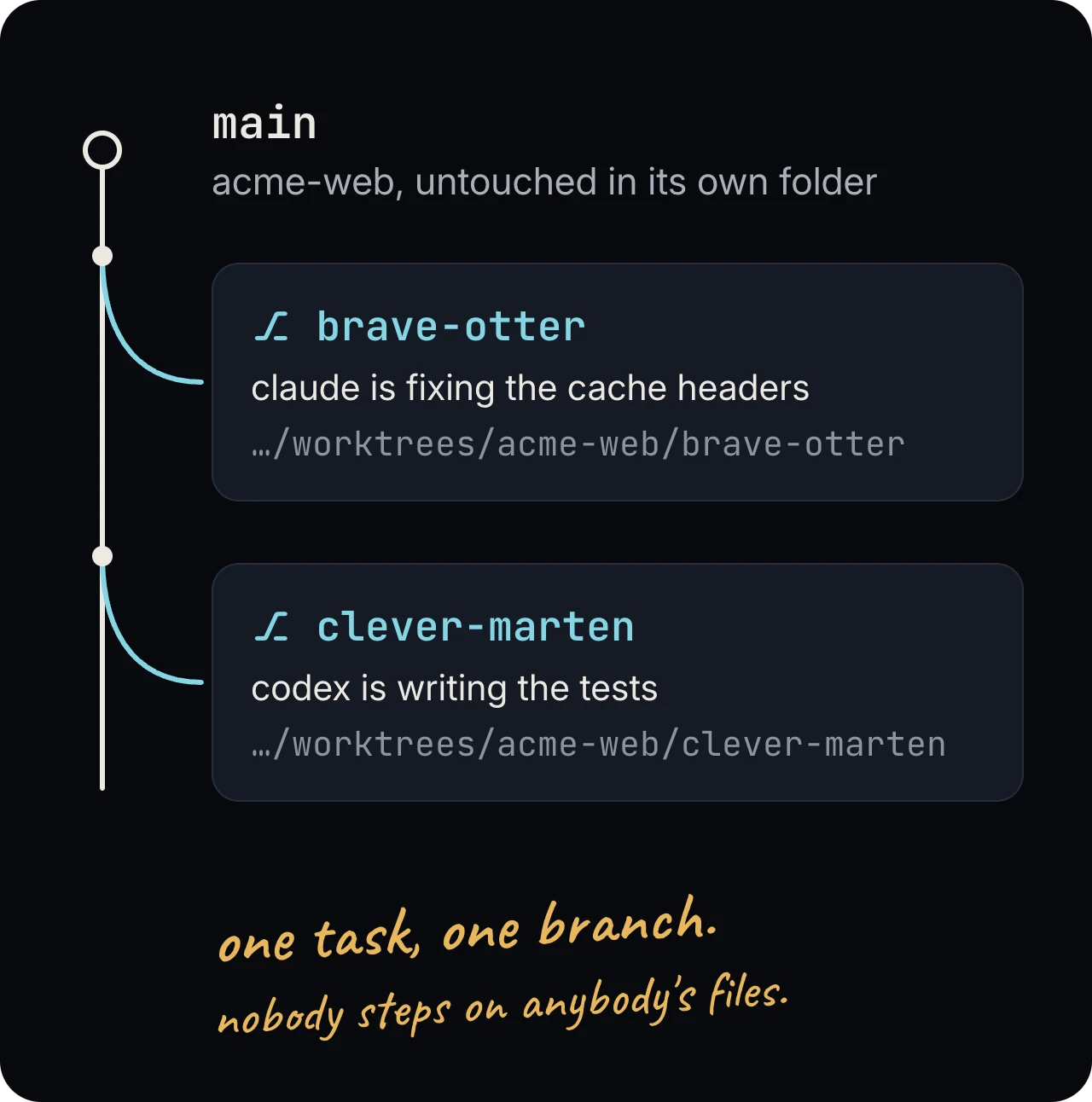
Termivoa can start a new task in a git worktree: a second folder of your repository on its own branch, with a new session in it. Two agents in two worktrees do not change each other’s files. All worktrees share one history, so you commit and push as usual.
Make a worktree
Section titled “Make a worktree”- In a running session,
cdinto your repository, such as~/code/myapp. - Open the session menu (⋯), then tap New worktree….
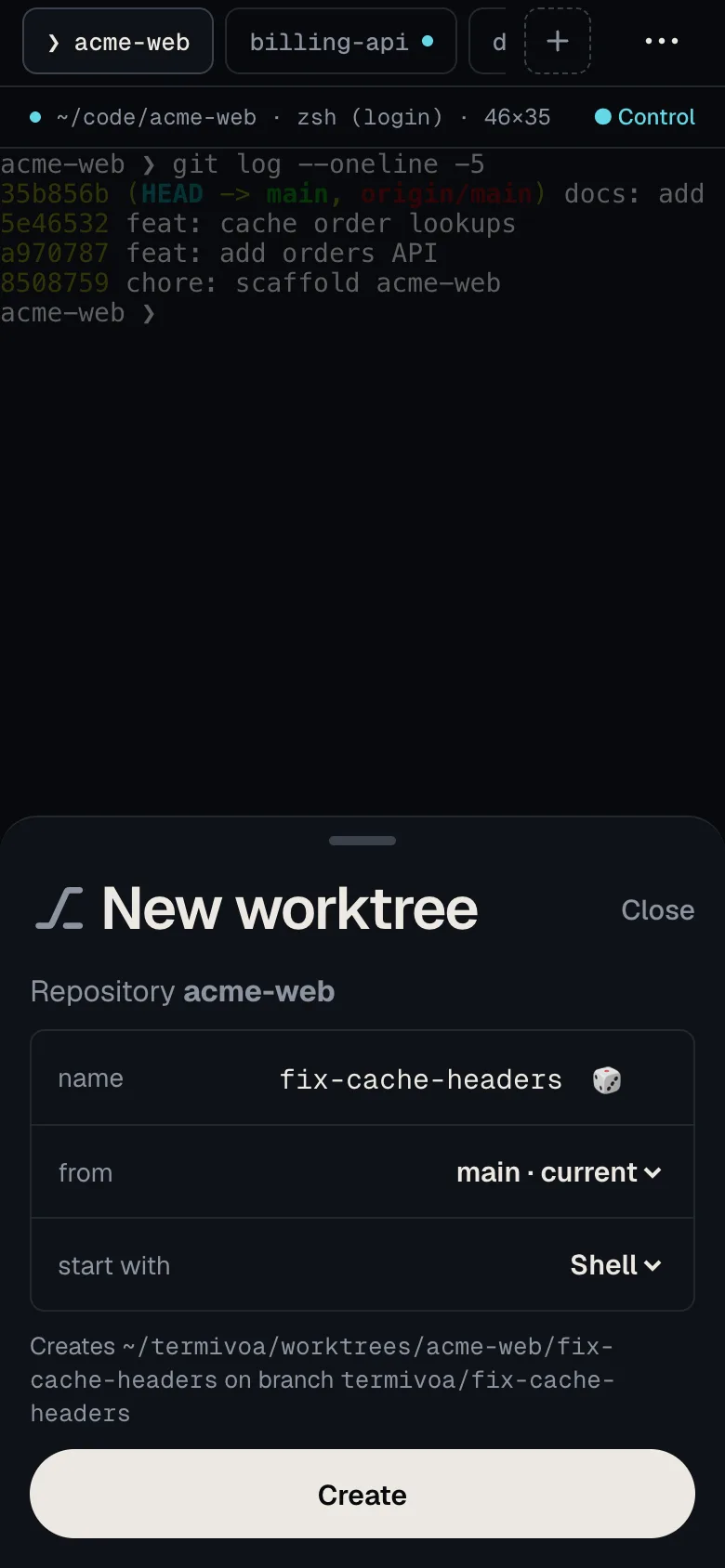
- Check the fields:
- name: random at first, such as
brave-otter. Tap 🎲 for another. Use lowercase letters, digits and single hyphens, up to 40 characters. - from: the branch to start from. The default is the repository’s default branch, such as
main. You can pick any local or remote branch. - start with: Shell, Claude or Codex.
- name: random at first, such as
- Tap Create.
Termivoa makes the folder ~/termivoa/worktrees/<repository>/<name> and the branch termivoa/<name> from the branch you picked. A new session, named after the worktree, opens in that folder as a new tab.
The new branch does not track a remote. A push from Changes sends it to origin as a new branch, ready for a pull request.
See your worktrees
Section titled “See your worktrees”A worktree session shows a ⎇ name badge on the Sessions list and in the line above the terminal. The folders in ~/termivoa/worktrees open in your editor like any other folder.
Remove a worktree
Section titled “Remove a worktree”Remove a worktree when its task is done and pushed.
- Open the worktree’s session and take control.
- Open the session menu (⋯), tap Remove worktree…, then Remove worktree.
Termivoa deletes the folder and ends the session. The branch termivoa/<name> stays, so no commit is lost.
If the folder has uncommitted changes, new files, or files that git ignores (such as node_modules or .env), Termivoa asks first. Remove anyway deletes them for good. Keep it stops.
What are the limits?
Section titled “What are the limits?”One repository can have up to 50 worktrees in ~/termivoa/worktrees. Remove one to make more.
Common questions
Section titled “Common questions”Why can I not make a worktree?
Section titled “Why can I not make a worktree?”New worktree… shows only for a running session. Its folder must also be in a git repository. If not, the sheet says so: cd into the repository first.
Why does Create say the name already exists?
Section titled “Why does Create say the name already exists?”A name can be used once per repository. The folder or the branch termivoa/<name> already exists, so pick another name or tap 🎲.