
Introduction
Termivoa lets you use the terminal sessions on your own computer from your phone’s browser, privately over Tailscale. A session can be a shell or a coding agent, such as Claude Code or Codex.
Status: Private beta (v0.1.0-beta.3). Only invited testers can download it.
What is Termivoa?
Section titled “What is Termivoa?”Termivoa is a phone web app plus a host program, pterm, that runs your sessions on your computer, not in a cloud.
There is no account, no cloud service and no telemetry (usage data sent to a company).
Who is it for?
Section titled “Who is it for?”People who run long terminal jobs or coding agents and want to check on them away from the desk, for example to answer a Claude Code question from the sofa.
How does it work?
Section titled “How does it work?”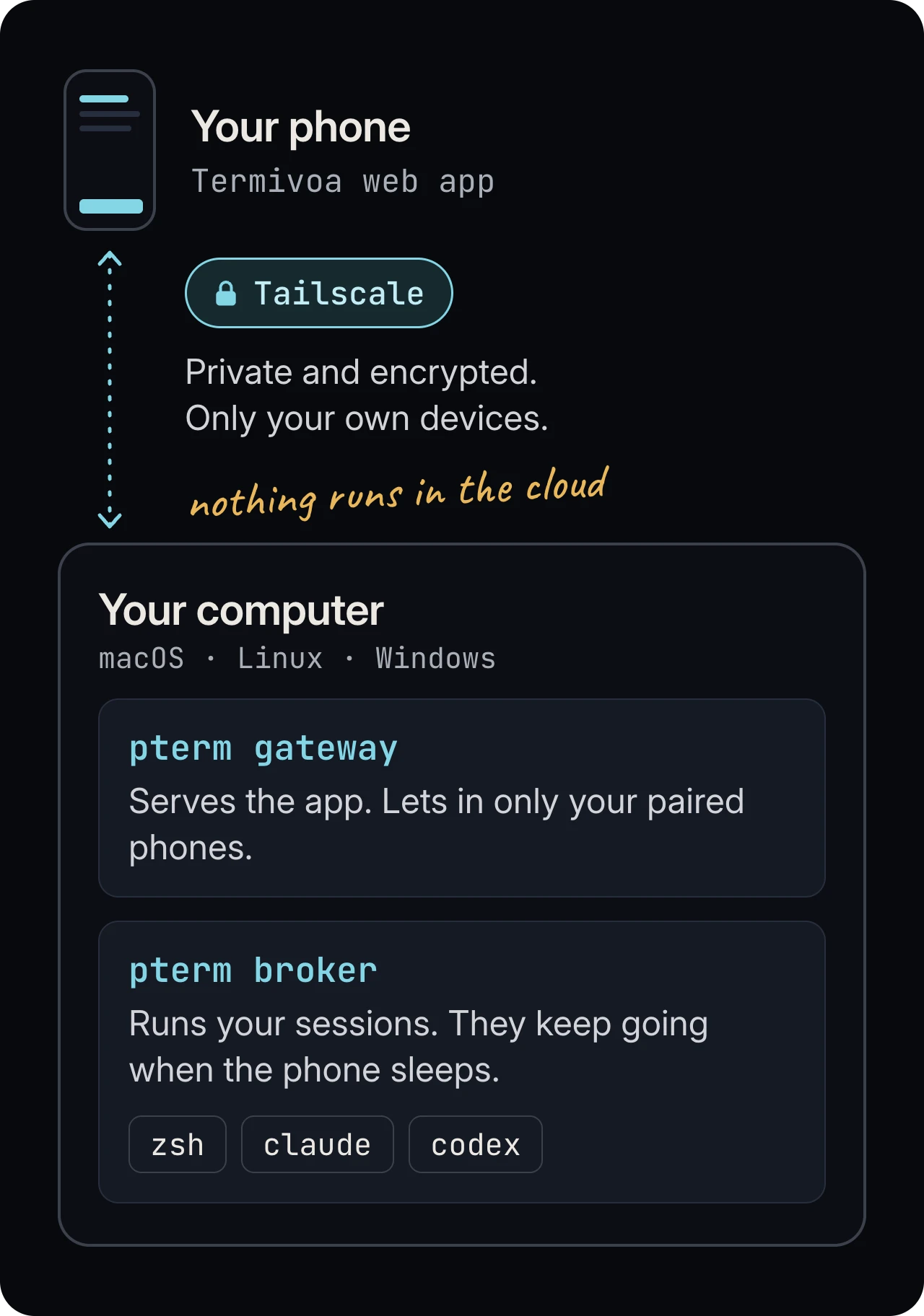
- Your computer runs
pterm. It keeps sessions alive and serves a private web page. - Tailscale links your devices in a private network. Only your own devices can reach the page.
- Your phone opens the page. Pair it once, then watch, type and answer from anywhere.
What you need
Section titled “What you need”| Part | Requirement |
|---|---|
| Computer | macOS (Apple Silicon), Linux (Ubuntu 22.04 or 24.04) or Windows 11 (x64). It must stay awake and logged in. |
| Phone | iPhone with Safari, or Android with Chrome. iPhone needs iOS 16.4 or later. |
| Network | Tailscale on the computer and the phone, signed in to the same account. |
Common questions
Section titled “Common questions”Do my sessions stop when I close the phone app?
Section titled “Do my sessions stop when I close the phone app?”No. They keep running when you close the app, lock the phone or lose signal.
Do I install an app from an app store?
Section titled “Do I install an app from an app store?”No. The phone side is a web page. On iPhone, add it to the Home Screen for notifications.
Can I use it away from home Wi-Fi?
Section titled “Can I use it away from home Wi-Fi?”Yes. Tailscale works from any network.
Next steps
Section titled “Next steps”- Quick start: from zero to a paired phone.
- Install on macOS, Install on Linux or Install on Windows.